Gyroscope navigation is worth considering when you want a robot vacuum to follow an orderly route through a mostly clear home. Our answer changes when you want specific rooms cleaned, saved no-go zones, or cleaning that resumes after charging. Those features need more than a gyroscope. Before handing over your kitchen crumbs and hallway dust, decide how much direction you expect to give the robot. Straight cleaning lines are useful; they are not a floor plan.
Contents
- When is gyroscope navigation worth it for everyday robot vacuum cleaning?
- How does a gyroscope help a robot vacuum navigate around furniture?
- Does the robot vacuum map support kitchen cleaning and no-go zones?
- Will gyroscope navigation finish several rooms before the robot needs charging?
- What should you check before buying a robot vacuum with gyroscope navigation?
- Frequently asked questions
- Is a gyroscope enough to map a home and create no-go zones?
- Can a robot vacuum with gyroscope navigation clean several rooms?
- Does gyroscope navigation work in the dark or without internet?
- Why does a gyroscope robot vacuum clean the same spot again?
- Does a gyroscope stop a robot vacuum from falling down stairs?
When is gyroscope navigation worth it for everyday robot vacuum cleaning?
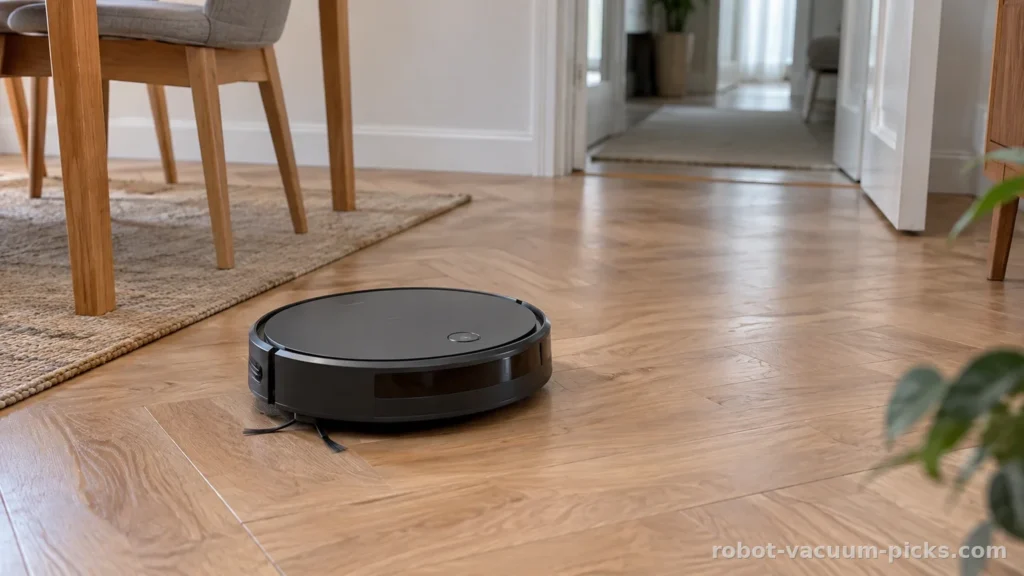
A robot vacuum should reduce the chores waiting when you get home from work. If your routine is to clear the floor, start a full cleaning cycle, and let the robot move through accessible spaces, gyroscope navigation can make sense. It helps the navigation system track turns and orientation, supporting a planned pattern through the room.
First, decide whether you need room selection or saved no-go zones; then check recharge and resume if cleaning must continue after a charging break. If you only want a full cleaning cycle through a mostly clear layout, gyroscope navigation is worth considering. That order keeps the decision tied to your household routine instead of a navigation label.
We like that practical approach. You may not need to send a robot specifically to the breakfast nook if your usual instruction is simply to clean the accessible floor. An open apartment, with furniture that stays put and little clutter between rooms, gives this navigation method a manageable assignment. Organized movement can be useful even when room selection plays no part in your routine.
The limit appears when your instructions become more specific. Want the kitchen cleaned after an afternoon snack while the home office stays undisturbed? Want a permanent exclusion around a particular patch of floor? A gyroscope alone does not establish those capabilities. Saved maps, room selection, and app boundaries are separate features that should guide your choice.
Consider how often the layout changes, too. Dining chairs pulled away from the table and a laundry basket left in the hallway create detours. A gyroscope still measures turns, but it does not identify those objects or explain the changed layout to the robot. More complicated routes make references from the surroundings increasingly useful.
Our view is straightforward: choose gyroscope navigation for a straightforward assignment. Avoid choosing it solely because an app shows tidy parallel tracks. Your useful outcome is less dust under the dining table and less vacuuming on Saturday. The route is how the robot gets there, not the chore you wanted removed.
How does a gyroscope help a robot vacuum navigate around furniture?
A gyroscope measures rotational motion. In a robot vacuum, that information helps the software estimate turns, hold a heading, and organize changes of direction. Think of it as a reference for orientation. It does not directly see the couch, measure the hallway, or recognize that the robot has entered the bedroom.
Other sensors can contribute movement information. Wheel rotation sensors estimate distance from wheel movement, while an accelerometer measures acceleration. Some designs also use an optical sensor facing the floor to track movement relative to the surface. These components can work together, but the word “gyroscope” does not describe the full navigation system.
The software combines available signals into an estimate of position. That estimate helps coordinate successive passes across an open space. Furniture complicates the assignment because the robot must interrupt its route, maneuver, and relate its new position to the area it has already covered. An orderly starting pattern does not remove that challenge.
Small positioning errors can accumulate as the robot moves. Wheels can slip, and measuring a turn is only part of locating a machine within a room. A robot can maintain a sensible heading while its position estimate gradually drifts. This explains why a series of neat turns does not automatically produce an accurate map.
Compared with movement based largely on reacting to obstacles, a gyroscope supplies a reference for keeping travel organized. Laser and camera systems add references from the surroundings. Those references help relate movement to the home itself, including after detours. None of these navigation labels, by itself, establishes how thoroughly a robot collects debris.
Occasional overlap is understandable while a robot works around furniture or connects adjoining areas. The warning sign is recurring missed floor alongside repeated passes elsewhere. During your first cleaning cycles, compare the finished floor with the route display. Look beyond the open center of the room to accessible strips beside furniture. The app can draw a convincing journey; the crumbs under the chair still get a vote.
Does the robot vacuum map support kitchen cleaning and no-go zones?
A displayed cleaning route can show where a robot estimates it has traveled without giving you a reusable map. Settle that distinction before choosing a gyroscope robot vacuum. A trail of lines may help you follow a cycle, but it does not automatically support named rooms, editable boundaries, or targeted cleaning.
Start with the action you want to take in the app. For kitchen-only cleaning, look for saved mapping and room selection. For excluding a location, look for no-go zones. For separate levels, look for multi-floor mapping. A broad promise of “smart navigation” should not substitute for the control you will actually use.
After breakfast, the difference becomes practical. Starting a complete cleaning cycle sends the robot through its accessible working area. Selecting the kitchen requires a system that recognizes and accepts that destination. A temporary route display does not establish that you can save a boundary for future cleaning. The useful question is which instructions remain available when you next open the app.
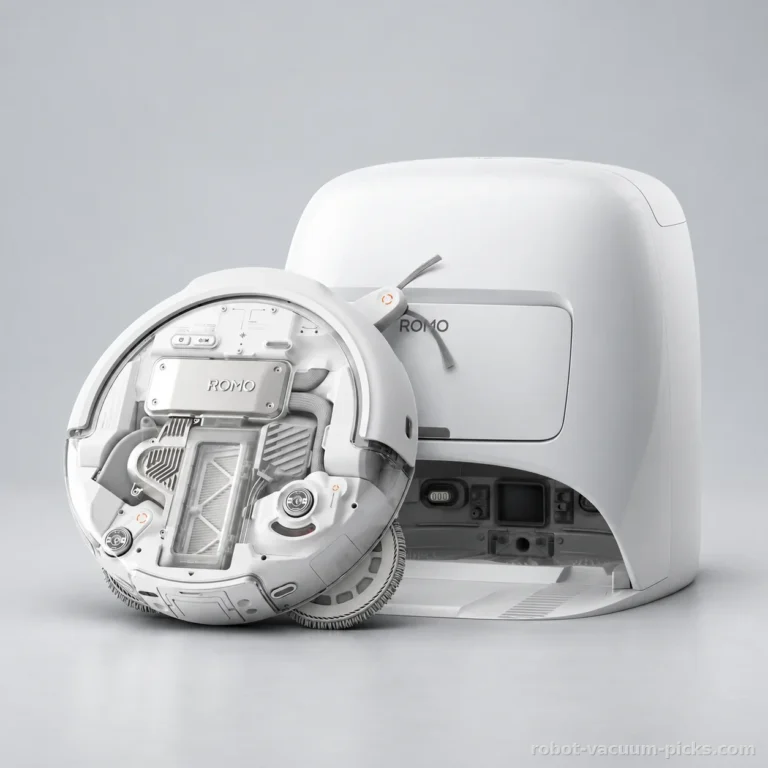
The DJI Romo A provides a concrete comparison. It uses laser and camera navigation, with verified support for multi-floor mapping and no-go zones. Our DJI Romo A analysis considers those capabilities alongside its cleaning setup. It is among the best-rated models in our selection, and those specific mapping functions make it relevant if you need more control over where cleaning happens.
Keep each feature attached to the job it supports. Multi-floor mapping stores maps for separate levels; you still carry the robot between them. No-go zones exclude areas; their presence alone does not establish room selection. A navigation description should not answer every buying question by association.
Even advertised obstacle detection is no guarantee that cords, toys, or pet waste will be avoided; clear the floor before cleaning. As manufacturer instructions require, clear cords, small objects, and socks from the floor before a cleaning run: this is room preparation, never a robot capability. Use map controls to direct the cleaning, then prepare the route. A saved boundary does not pick up yesterday’s socks.
Will gyroscope navigation finish several rooms before the robot needs charging?
A robot can move between accessible rooms without offering room-by-room commands. That matters if you are considering gyroscope navigation for an apartment with a bedroom, living room, and kitchen connected by an open hallway. Traveling through those spaces differs from recognizing each as a selectable destination. Match your expectations to the cleaning controls, not merely the number of doorways.
Next, separate returning to the dock from continuing the interrupted job. A robot that finds its charger has a return function. That does not automatically give it recharge and resume. If you expect cleaning to continue while you remain at work, explicit support for resumed cleaning matters more than an attractive route display.
The DJI Romo A includes recharge and resume, with a listed runtime of 180 min. It is a suitable option in our comparison for readers who want a long session across several rooms. Claimed runtime comes from the gentlest mode: stronger suction or mopping shortens the cleaning run. That duration does not translate directly into an area cleaned per charge.
Its charging time of 2.5 h puts the pause between sessions into practical terms. A quick recharge helps cleaning fit around the household schedule, but charging still occupies part of the day. If you want the floor finished before everyone gets home, leave room for that pause. Resume support determines what happens afterward.
Maximum coverage usually assumes recharging, possibly more than once, followed by resumed cleaning. It never means a single uninterrupted run. We would choose around the cleaning schedule and resume function rather than use a maximum coverage figure to recommend this robot for a large home. Its stronger fit here is the aim of cleaning several rooms during a long session.
Also consider when you want the work done. The Romo A has a stated noise level of 65 dB, around the average in our comparison. It would not be our pick chiefly for running while you are home. For an undisturbed work call, schedule cleaning outside that call. Navigation organizes the route; it does not make the vacuum disappear from the conversation.
What should you check before buying a robot vacuum with gyroscope navigation?
Once the navigation matches your routine, look at the chores left around it. A robot that follows the route you want can still demand more attention than you expected. Before choosing, consider emptying, dock placement, replacement parts, and the app. Those details determine how comfortably automated cleaning fits into an ordinary week.
The DJI Romo A illustrates the distinction. Its robot dustbin holds 260 mL, a small capacity that needs frequent attention when pet hair builds up. Its dock is a 3-in-1 station (emptying + washing + drying). The robot’s dustbin and the dock’s bag are separate containers, so check which container a quoted capacity describes. This model would not be our choice chiefly for escaping frequent attention to a small robot dustbin.
Plan the dock location before choosing the robot. Allow for its floor space and access to the parts requiring routine care. Read the maintenance instructions for emptying, mop washing, and drying. A dock hidden behind furniture may look discreet, but reaching it should not become another household chore. Replacement bags, mop pads, and brushes belong in that decision, too.
For rugs, the Romo A lists suction of 25000 Pa, among the strongest figures in the selection and a potential advantage for pickup. Each manufacturer measures suction in pascals its own way: the figure helps position a model, but does not promise a clean rug. Navigation determines where the machine travels; suction and the brush system contribute to what it collects.
Its rotating mop discs and mop lifting on carpets are relevant to a route containing hard floors and rugs. For unfinished, waxed, or poorly sealed hardwood, manufacturers advise checking whether the floor can tolerate moisture before using the mop. Make that decision before adding wet cleaning to your routine.
Finish by reading the app requirements, any subscription terms, warranty, return policy, and repair arrangements. Consider weight if you will carry the machine upstairs. Our answer to the title remains yes for full-cycle cleaning in a mostly clear layout. Choose saved mapping controls when directing the robot matters as much as starting it. Buy for the instruction you want to give and the upkeep you are willing to keep.
Our picks for this topic
The robot vacuum cleaners we recommend here
| Model | Score | Dustbin capacity | Noise level | Deal |
|---|---|---|---|---|
 Dreame L40s Pro Ultra | 9/10 | 350 mL | 74 dB | Check price on Amazon →Our analysis |
 Narwal Freo S | 7.9/10 | 250 mL | – | Check price on Amazon →Our analysis |
Picks based on our analyses: models relevant to this guide, rated using the same criteria as our full catalog. Prices change: check the retailer for current prices. As an Amazon Associate, we earn from qualifying purchases.
Frequently asked questions
Is a gyroscope enough to map a home and create no-go zones?
No. A gyroscope helps estimate orientation, but it does not establish saved mapping or no-go zones. A displayed cleaning trail can represent the current route without supporting reusable boundaries. Choose explicit mapping controls if excluding particular areas is part of your routine.
Can a robot vacuum with gyroscope navigation clean several rooms?
Yes, it can travel through connected, accessible rooms. That does not mean you can select each room in an app. For cleaning that may require a charging pause, prioritize explicit recharge and resume support.
Does gyroscope navigation work in the dark or without internet?
The gyroscope itself measures rotation without relying on room lighting or an internet connection. Supporting sensors and app functions have their own requirements. Prioritize explicit offline cleaning support if you want to start routine cleaning without an internet connection.
Why does a gyroscope robot vacuum clean the same spot again?
Overlap can happen when the robot maneuvers around furniture or reconnects parts of its route. Position estimates can also drift. Repeated passes become concerning when accessible strips remain dirty across cleaning cycles. Judge floor coverage alongside the route shown in the app.
Does a gyroscope stop a robot vacuum from falling down stairs?
No. Measuring rotation differs from detecting a floor edge. Stair protection depends on separate sensors and the manufacturer’s operating instructions. Do not treat gyroscope navigation, saved mapping, or a no-go zone as a replacement for the required precautions around stairs.
Was this article helpful?
0% of readers found it useful (0 reviews)